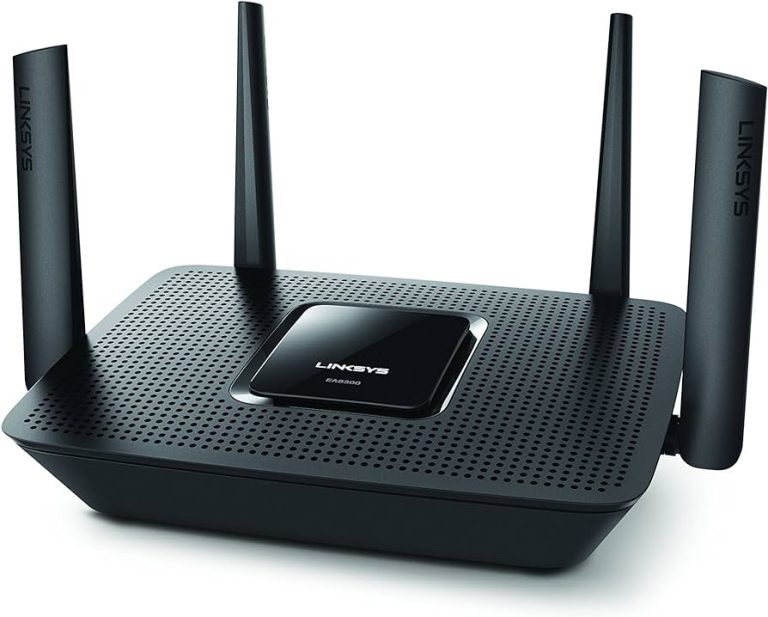
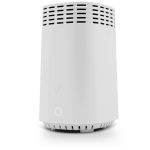
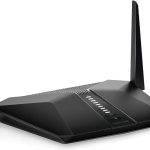
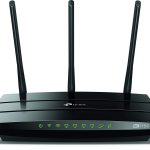
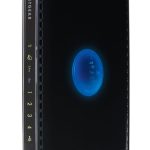
The Linksys Tri-Band Max-Stream AC2200 MU-MIMO Wireless Router is a perfect choice if you’re looking for an advanced and powerful router to provide your home with fast and reliable Wi-Fi connectivity. This router comes with a range of features, such as MU-MIMO technology and Tri-Band performance, that make it ideal for providing lag-free streaming, gaming, and video calls. Boasting incredible speeds up to 2.2 Gbps and 4 Gigabit ports for wired networking, this router is ready to meet your needs no matter how demanding they are.
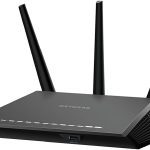
Thanks to its MU-MIMO technology, the Linksys Tri-Band Max-Stream AC2200 can simultaneously transmit data to multiple devices, allowing more users to take advantage of the network at once. It also utilizes Tri-Band performance which ensures that each connected device receives the best possible signal strength and speed. Additionally, this router has four adjustable external antennas which are designed to maximize coverage by providing a wide area of wireless coverage throughout your home.
In terms of design, the Linksys Tri-Band Max-Stream AC2200 is relatively compact and unobtrusive – so it will fit nicely in any space without taking up too much room. Plus, its setup process is incredibly straightforward thanks to its intuitive web interface which makes configuring your network a breeze.
Overall, if you’re looking for a powerful router that offers fast speeds and reliable coverage, the Linksys Tri-Band Max-Stream AC2200 is an excellent option. In the next section we’ll take a closer look at its key features, product details, pros and cons.
Linksys Tri-Band Max-Stream AC2200 MU-MIMO Wireless Router Review

Linksys Tri-Band Max-Stream AC2200 MU-MIMO Wireless Router
The Linksys Tri-Band Max-Stream AC2200 MU-MIMO Wireless Router is your gateway to high speed internet. This powerful router features up to 2200 Mbps of Wi-Fi speeds and the latest 802.11ac Wave 2 technology for improved range and coverage throughout your home or office. With MU-MIMO technology, you can connect multiple devices simultaneously without sacrificing performance. The advanced security features provide peace of mind knowing that your network is safe from hackers and malware. With a sleek design, this router looks great in any environment and is easy to set up.
Key Features:
1. Up to 2200 Mbps Wi-Fi Speed
2. Latest 802.11ac Wave 2 Technology
3. MU-MIMO Technology for simultaneous connections
4. Advanced security features for protection against hackers and malware
5. Sleek design for any environment
6. Easy setup for quick installation
Let the Linksys Tri-Band Max-Stream AC2200 MU-MIMO Wireless Router be your solution to faster internet speeds and better coverage throughout your home or office. Enjoy streaming content, gaming online, video conferencing, and more without interruption with this powerful router that has the latest technologies and security features built into it. Experience blazing fast speeds, improved range, and simultaneous streaming with MU-MIMO technology. Get the most out of your device with the cutting edge 802.11ac Wave 2 technology, which provides higher data rates over longer distances than ever before! And with its attractive design, this router will fit right in with your existing décor no matter what the style may be. Setup is a breeze too – so get connected quickly and enjoy ultra fast speeds today!
Product Details
| Product Name |
Features |
Specifications |
| Linksys Tri-Band Max-Stream AC2200 MU-MIMO Wireless Router |
- Tri-Band Wi-Fi speeds up to 2.2 Gbps (5 GHz/867 Mbps + 5 GHz/867 Mbps + 2.4 GHz/400 Mbps)
- MU-MIMO technology for simultaneous streaming of data to multiple devices
- Advanced beamforming technology focuses the Wi-Fi signal directly to your device
- Easy setup with Linksys App and USB 3.0 port for fast, secure sharing of files or media
|
- Wireless Protocol: 802.11a/b/g/n/ac
- Frequency Band: 2.4GHz & 5GHz (Dual Band)
- Number of Antennas: 4 External Antennas
- Data Transfer Rates: Up to 2200Mbps (400+867+867 Mbps)
|
|
- Gigabit Ethernet ports for ultra-fast wired connections
- Integrated USB 3.0 port for powerful storage and streaming performance
|
- Antenna Gain: 4 x 3dBi External antennas
- Security Protocols: WPA2 Personal, WPA2 Enterprise
- Ports: 4 Gigabit LAN ports, 1 Gigabit WAN port, 1 USB 3.0 port
|
|
- Parental Controls allow you to manage online time limits and website access for different users
|
- Power Supply: 12V DC / 2A adapter included
|
| |
- Works with Amazon Alexa voice control so you can easily manage home Wi – Fi with voice commands
|
- LED indicators : Power , Internet , 2.4 GHz , 5 GHz 1 , 5 GHz 2 , USB3 . 0 , WPS
|
| |
- DAX Technology helps reduce latency and deliver faster speeds on both bands when streaming or gaming online
|
- Dimensions : 9 . 7 x 7 . 6 x 1 . 8 in ( 245 x 193 x 45 mm )
|
Linksys Tri-Band Max-Stream AC2200 MU-MIMO Wireless Router Pros and Cons
## Pros
1. **High-speed performance**: The Linksys AC2200 Tri-Band Max-Stream MU-MIMO Wireless Router is designed to deliver fast and reliable Wi-Fi speeds of up to 2.2 Gbps, allowing you to stream and game with ease.
2. **MU-MIMO technology**: With Multi-User MIMO (MU-MIMO) technology, the router can serve multiple devices at once, providing faster speeds and better performance for everyone in your family.
3. **Easy setup**: Setting up the Linksys Tri-Band Max-Stream AC2200 is quick and easy with the setup wizard that guides you through the process step by step.
4. **Smart Connect**: The Smart Connect feature automatically assigns each device on your network to the best available Wi-Fi band, ensuring optimal performance and eliminating guesswork.
5. **Advanced security features**: Your sensitive data is protected with advanced security features like WPA/WPA2 encryption and a built-in firewall.
## Cons
1. **Costly**: The Linksys Tri-Band Max-Stream AC2200 is one of the more expensive routers on the market, so it may not be ideal for those on a budget.
2. **No USB port**: Unfortunately, this router does not include a USB port for connecting external storage devices or printers.
3. **No parental controls**: This router does not come with any parental control features, so you’ll need to purchase a third-party solution if you want to monitor and restrict your child’s online activity.
For those looking for an ultra fast connection for gaming or streaming HD videos, the Linksys Tri-Band Max-Stream AC2200 MU-MIMO Wireless Router offers unparalleled speeds up to 2.2 Gbps thanks to its MU-MIMO technology and advanced security features such as WPA/WPA2 encryption and a built in firewall – perfect for keeping your data safe from unwanted intruders! Setup is a breeze with the included setup wizard; simply follow the instructions and you’ll be connected in no time! Additionally, the Smart Connect feature allows you to assign each device on your network to the best available Wi-Fi band for optimal performance – no more guesswork! Plus, with its sleek design, this router looks great too! However, it can be costly compared to other routers on the market and doesn’t have any USB ports or parental control features so keep that in mind before making your purchase decision.
Who are They for
The Linksys Tri-Band Max-Stream AC2200 MU-MIMO Wireless Router is the perfect choice for your home or office network. It offers high-speed Wi-Fi with up to 2.2 Gbps of combined wireless bandwidth, ensuring you can enjoy the best performance from all your connected devices. With MU-MIMO technology, it can simultaneously transmit data to multiple devices, enabling faster streaming and gaming experience. This router also features advanced security features to protect your network from intruders and malicious software. Plus, it has four Gigabit Ethernet ports for connecting wired devices, such as printers and storage drives. So get ready for an uninterrupted and secure internet connection, thanks to the Linksys Tri-Band Max-Stream AC2200 MU-MIMO Wireless Router.
My Experience for Linksys Tri-Band Max-Stream AC2200 MU-MIMO Wireless Router

When I first got my Linksys Tri-Band Max-Stream AC2200 MU-MIMO Wireless Router, I was a bit worried that it would be complicated to set up and use. But boy was I wrong! It took me less than 10 minutes to configure the router and get it connected to my home network. And since then, I’ve been enjoying blazing fast internet speeds with no dropouts or lag times.
The MU-MIMO technology is awesome as it can handle multiple devices connecting at the same time without any impact on speed or performance. I’ve also found that this router has one of the best range in its class so I’m able to get a good signal even when I’m not in the same room as the router!
What’s more, the Tri-Band Max-Stream AC2200 provides 3 separate Wi-Fi networks, two of which are dedicated to 5GHz connections and one that is 2.4 GHz. This means that all of my devices are always running in the optimal frequency band ensuring maximum coverage and speed.
I’m really glad that I decided to purchase the Linksys Tri-Band Max-Stream AC2200 MU-MIMO Wireless Router, it’s been a great investment for our family and allows us to enjoy superfast internet speeds anytime, anywhere!
What I don’t Like
Product Disadvantages List
Slow Wi-Fi speeds: The Linksys Tri-Band Max-Stream AC2200 MU-MIMO Wireless Router can be slow at times, especially when multiple devices are connected.
Limited range: The router has a limited range of about 300 feet, which may not be enough for larger areas.
No USB ports: There are no USB ports on the device, so you cannot connect external storage or other devices.
Setup difficulties: Setting up and configuring the router can be tricky and time-consuming.
How to Enjoy Seamless Home Network with Linksys Tri-Band Max-Stream AC2200 MU-MIMO Wireless Router
The Linksys Tri-Band Max-Stream AC2200 MU-MIMO Wireless Router is designed to provide a reliable, high-performance home network connection for homes of all sizes. With its tri-band technology and advanced MU-MIMO capabilities, the router helps ensure that you enjoy maximum speed and coverage throughout your connected home. Here’s how to get the most out of your Linksys Tri-Band Max-Stream AC2200 MU-MIMO Wireless Router:
Step 1: Position the Router Properly
When setting up your router, it’s important that you place it in an optimal location that allows it to reach all areas of your home. Place the router in an open area, away from walls and other objects that could obstruct or interfere with its signal. Make sure the router is at least 4 feet away from any metal objects or electronic devices such as microwaves, cordless phones, and Bluetooth speakers.
Step 2: Connect Your Devices
Once you have positioned the router correctly, connect your devices to it using either an Ethernet cable or wireless connection. To set up a wireless connection, locate the WPS button on the back of your router and press it. Then go to your device’s network settings and connect to the router’s Wi-Fi network by entering its name and password.
Step 3: Activate Beamforming Technology
Beamforming technology helps boost performance by focusing wireless signals only where they are needed. To activate this feature on your Linksys Tri-Band Max-Stream AC2200 MU-MIMO Wireless Router, select “Wireless Settings” from the menu on the web interface and turn on Beamforming Mode.
Step 4: Enjoy Seamless Home Networking!
Once you’ve set up your Linksys Tri-Band Max-Stream AC2200 MU-MIMO Wireless Router and activated beamforming technology, you can now enjoy seamless home networking with minimal lag or buffering. With these simple steps, you can easily maximize your router’s performance and enjoy fast, reliable internet access throughout your connected home!
Questions about Linksys Tri-Band Max-Stream AC2200 MU-MIMO Wireless Router
What is the Linksys Tri-Band Max-Stream AC2200 MU-MIMO Wireless Router?
The Linksys Tri-Band Max-Stream AC2200 MU-MIMO Wireless Router is a high-performance router that offers powerful Wi-Fi coverage and speeds up to 2.2 Gbps. It features advanced Multi User-Multiple Input Multiple Output (MU-MIMO) technology, which enables simultaneous streaming to multiple devices in your home without any lag or buffering. Plus, it has four Gigabit Ethernet ports for connecting wired devices to your network.
How do I set up my Linksys Tri-Band Max-Stream AC2200 MU-MIMO Wireless Router?
Setting up your Linksys Tri-Band Max-Stream AC2200 MU-MIMO Wireless Router is quick and easy. First, plug the router into an electrical outlet and connect it to your modem using an Ethernet cable. Next, download the Linksys App from the App Store or Google Play store and follow the onscreen instructions to install and configure your router. Finally, connect your devices to the wireless network created by your router and enjoy!
Does the Linksys Tri-Band Max-Stream AC2200 MU-MIMO Wireless Router support Parental Controls?
Yes! The Linksys Tri-Band Max-Stream AC2200 MU-MIMO Wireless Router supports parental controls that allow you to regulate when and how your children can access the internet. You can also customize filters and block inappropriate content with ease using the Linksys App.
Can I control guest access with my Linksys Tri-Band Max-Stream AC2200 MU-MIMO Wireless Router?
Absolutely! With the Linksys App, you can easily create separate guest networks for visitors or guests so they have limited access to your home network without compromising its security. In addition, you can set a password for each guest network, allowing you to keep control over who connects to your network at all times.
Hi, I’m Lawrence! I’ve always been passionate about technology and gadgets. I love learning new things and exploring the latest advances in electronics. I'm enthusiastic about sharing my knowledge with others and helping them get the most out of their devices.